Tools and freebies for people who value time and quality.
Level up your craft. Focused tools, mini workflows, and guides designed to elevate how you think and create.
The toolkit
Three tools. Zero clutter.

Details
A closer look.
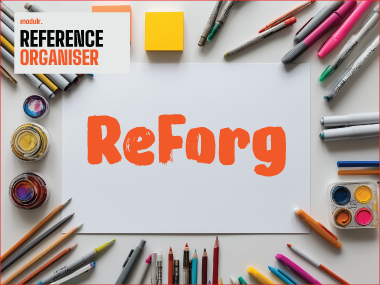
ReForg
A browser-based reference organiser for visual thinkers.
ReForg is a single HTML file — no installation needed. It uses the browser's native file reader, so it accepts anything the browser can render: JPEG, PNG, GIF, WebP, SVG, AVIF, BMP, and ICO. PDF and HTML files appear as embedded cards. Everything stays local on your device — no accounts, no subscriptions. Upload, annotate, draw, and build mood boards your way.
- Drag-and-drop image uploads — no server, everything stays local
- Annotate and draw directly on any reference
- Save and reload boards as local files
- Works fully offline once loaded
- PNG export renders the whole board including grid, notes, and drawings
Runs in any modern browser
SiteBlock
Instant, private website blocking for focus and family safety.
Take back your focus — and protect the people you care about. SiteBlock gives you instant control over the web. Add any domain to your personal blocklist, toggle individual sites on or off, or hit the master switch to pause all blocking in one tap. No clutter, no complexity. Your blocklist never leaves your device, keeping your data completely private. And because focus isn't the only reason to block, SiteBlock includes PIN protection, making it the trusted choice for parents managing screen time and families safeguarding elderly loved ones from malicious sites. Fast to set up. Private by design. Available on Windows and macOS.
- One-tap master switch to pause or resume all blocking
- Per-site toggles for granular control
- PIN protection for parents and shared devices
- Blocklist stays 100% on your device
Windows · macOS
ChartWizz
Animated charts, built right inside After Effects.
ChartWizz is a dockable After Effects panel that turns a handful of numbers into a fully animated, broadcast-ready chart in seconds. No plugins, no manual keyframing — just enter your data, pick a style, and generate a polished 1080p composition built from native, fully editable shape layers. Choose from six chart types — Bar, Horizontal Bar, Diverging, Line, Pie, and Donut — each with staggered, eased-in animations and a clean neon-on-neutral colour palette designed for modern motion graphics. Every chart comes parented to a single Chart Controller null, so repositioning, scaling, or restyling the whole piece takes one move. Whether you're building a quick stat callout for social content or a recurring chart template for client reports, ChartWizz gets you from data to finished animation without leaving your AE workspace.
- Six animated chart types in one panel — Bar, Horizontal Bar, Diverging, Line, Pie, Donut
- Native shape-layer output — fully editable, no third-party plugins
- Chart Controller null for one-move repositioning, scaling, and restyling
- One-click randomise for fast mockups and previews
Adobe After Effects (Windows · macOS)
About
Made by creatives, for creatives.
Every tool in the kit is shaped by real creative work — built to remove friction, not add complexity. Lightweight, reliable, and focused on the details that matter.
Freebies
Small gifts for the craft.
A rotating set of simple tools, workflows, and techniques — free to grab and use.
Brand Style Generator
A minimal, browser-based tool for generating curated typography and colour palette combinations. Designed for brand exploration, moodboards, and visual ideation, no installs, no dependencies, just open and hit GENERATE.
SiteBlock Lite
A free, lightweight version of SiteBlock — a Chrome/Edge/Brave browser extension for blocking distracting websites in seconds. Per-site toggles, master switch, and a local-only blocklist. No PIN protection (that's in the full SiteBlock). Includes install instructions for Windows and macOS.
Midjourney Mastery - How to set things on fire
A Midjourney guide on building a look, then controlling specific styles and effects across different outputs while keeping it consistent.
Midjourney - Character Consistency
The definitive guide for creative professionals, designers, and storytellers who want to create a consistent look for their characters across every image.
BlendC4D - Cinema 4D Layout Panel — Free Blender Add-on
A free Blender add-on that adds a Cinema 4D-style sidebar panel to the 3D viewport. Groups primitives, generators, deformers, display modes, and render controls in one familiar place. Compatible with Blender 5.1+. No strings attached.